
Before Stowley
- Vault contents on a paper manifest in a filing cabinet
- SIT days counted by hand at month end, or not at all
- Customers calling to ask what is in storage and when it can deliver
Moving & relocation
Your CRM books the move. Stowley runs everything after the truck backs into the warehouse: vault manifests with photos, storage-in-transit billed to the day and charged to the card on file, and a portal where customers see their vault and request delivery-out.

01
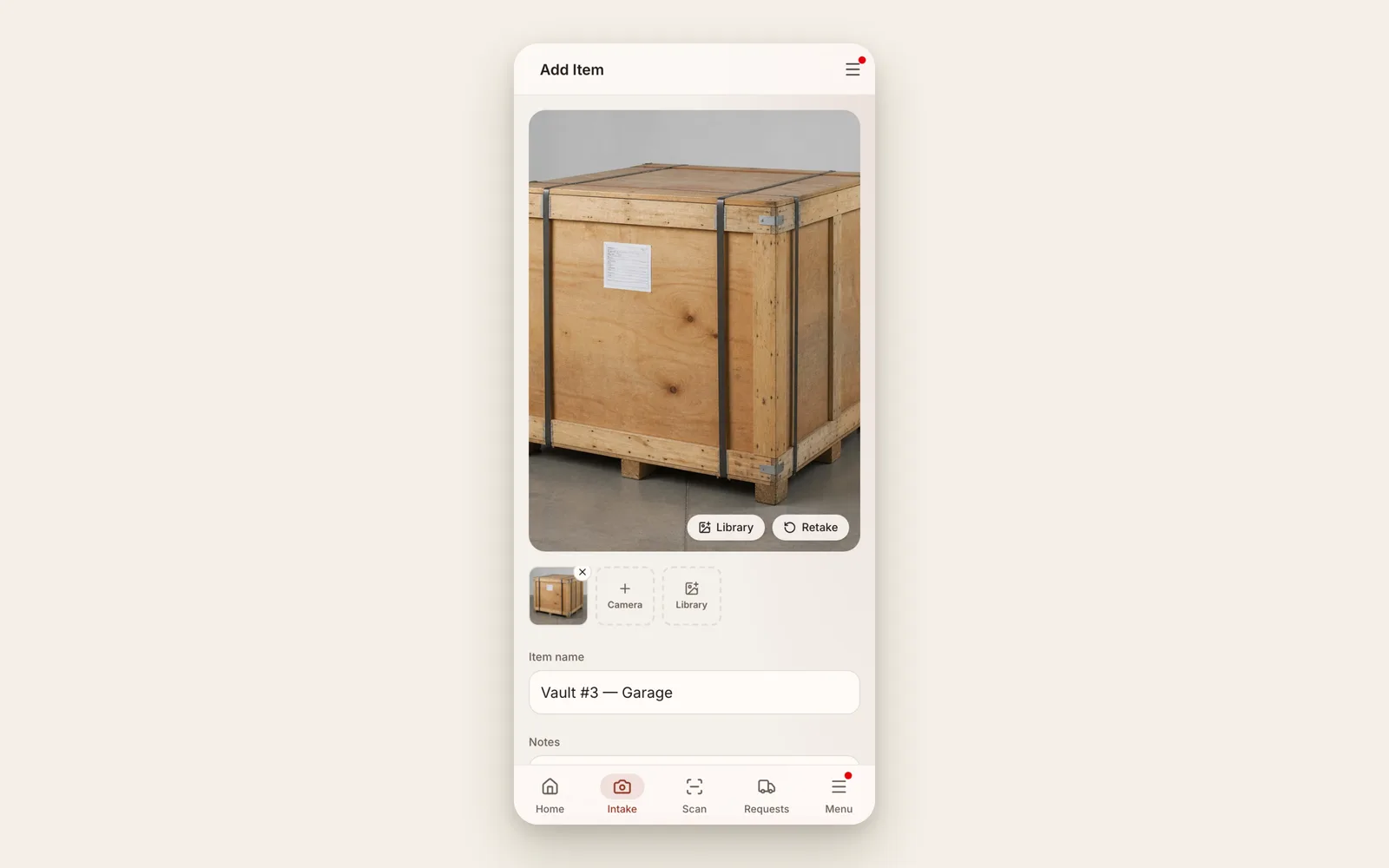
Crews log each piece on a phone as the vault is packed: photo, weight, condition, and the vault it went into. Group the pieces so the whole vault moves together when the customer requests delivery. Nothing is re-keyed at the office.
02
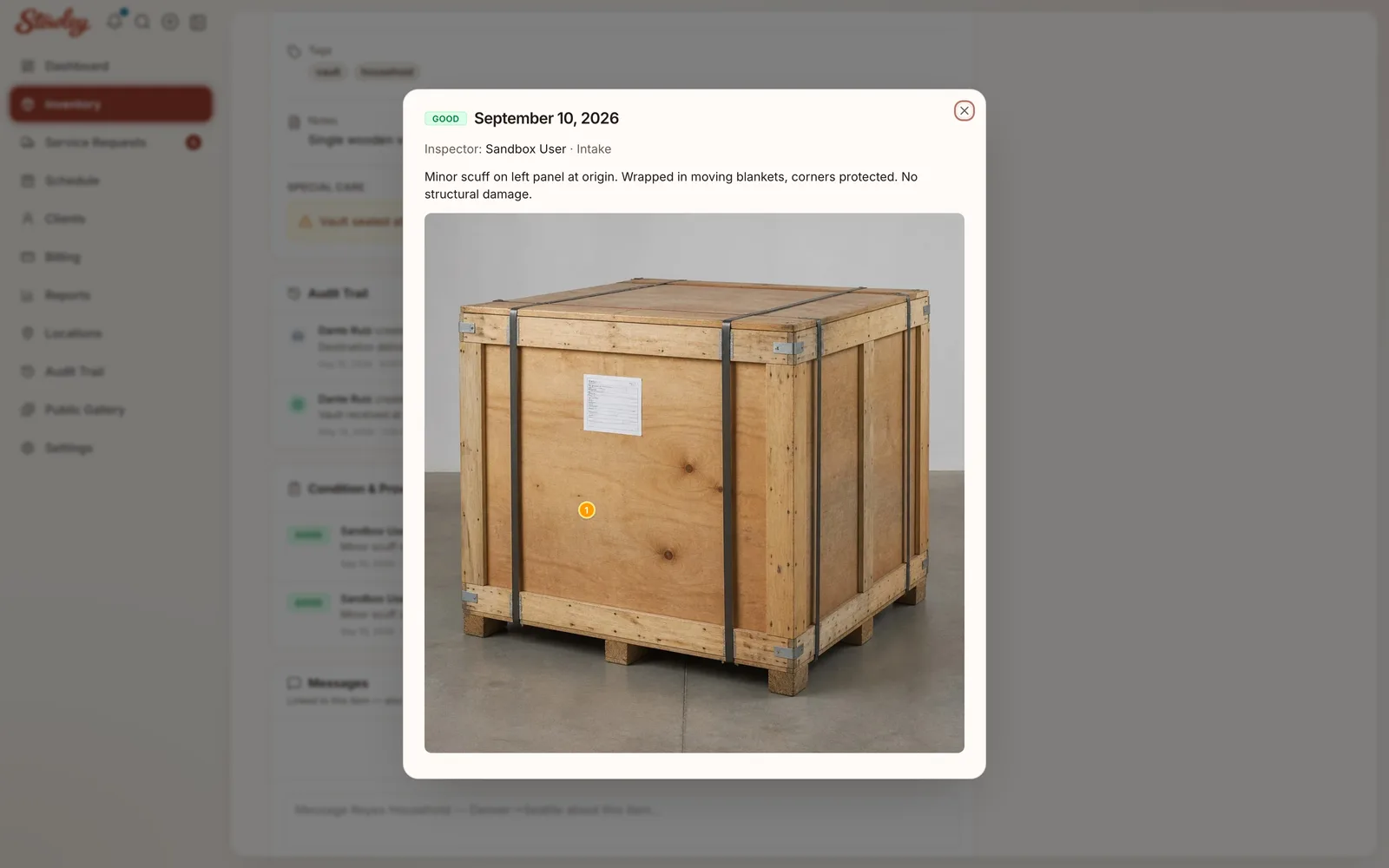
Run a condition report when the shipment lands and again before it delivers. Photos and a marked-up damage map attach to the item, dated and signed, so a valuation claim is answered from the record instead of from memory.
03
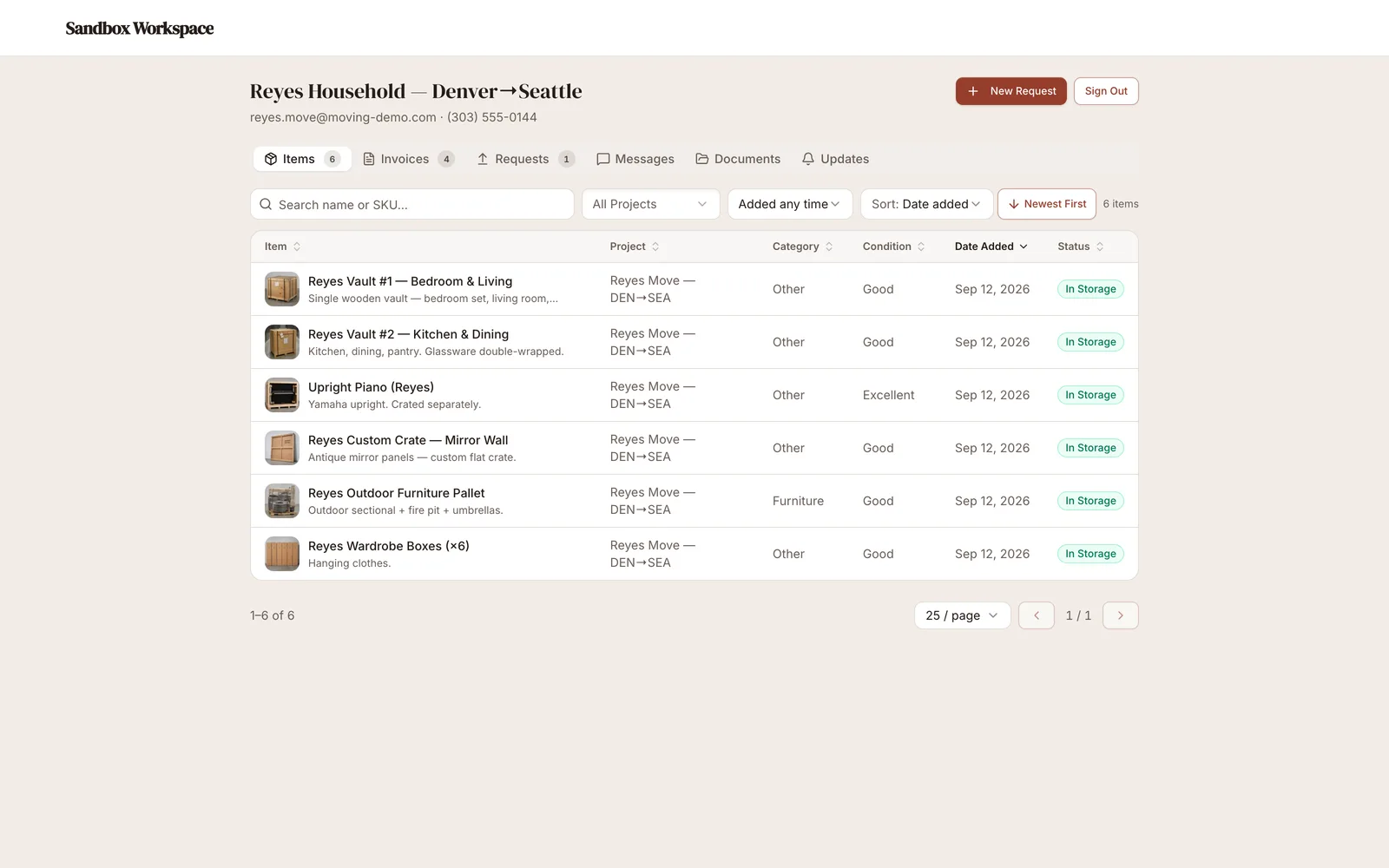
Portal access shows the customer exactly what your team logged, with photos, and lets them request delivery-out or a partial pull without a phone call. Invoices and card-on-file payments live in the same place.
Capabilities
Every capability below ships in Stowley today. No add-ons, no roadmap promises.
Each vault or lift van is an item with photos, weight, and dimensions, and the pieces inside are grouped to it. Pull the vault and the manifest comes with it. Print QR labels and scan them at the dock.
Set a rate per 100 lbs, per vault, per square or cubic foot, or flat. Stowley totals the weight from the manifest, or takes the scale-ticket weight you enter, and invoices on the billing day.
A shipment that lands on the 18th and delivers on the 3rd is billed for exactly those days. Free days before billing starts are a setting, not a spreadsheet column.
Every vault shows its days in storage. Set the storage alert to 90 days and anything past it is flagged on the inventory and listed in Reports, so the conversion to permanent storage and the valuation change never sneak up on you.
Mark existing scuffs on a visual map at intake, re-run it before delivery, and keep both with photos on the item history. Claims get answered from the record.
Storage invoices email themselves and charge the card on file through Stripe. Deposits and delivery balances take card or ACH from a hosted payment link.
Customers see their vault contents with photos, request delivery-out or a partial pull, message your office, and pay invoices. Those who opt in get a text when the crew is on the way or an invoice is past due. Put your own brand on it with white-label on Premium.
Keep SmartMoving, Supermove, or whatever books and dispatches your moves. Import the inventory by CSV when a shipment goes into storage, and let Stowley own the warehouse, the storage billing, and the customer portal.
Getting started
Photo each piece, note weight and condition, group it to its vault.
Per 100 lbs, per vault, or flat, prorated to the day.
Billing runs itself. Customers request delivery-out when they are ready.
From the blog
SIT is where moving companies quietly lose margin: uncounted days, untracked items, and invoices built from memory. A cleaner way to run it.
Read the guideLive demo
Try a sandbox loaded with vaults, lift vans, storage-in-transit holds, and a corporate relocation. Watch the storage bill itself and the portal show the customer their vault.
Quick email check-in for a demo. No strings attached.