
Compliance
How clients opt in to text updates
Stowley sends transactional text messages on behalf of the storage and moving companies that use it. This page shows the exact opt-in form their clients see, the wording clients agree to, what they receive, and how to stop. Texting is optional: clients use their portal and every service without agreeing to texts.
The opt-in form
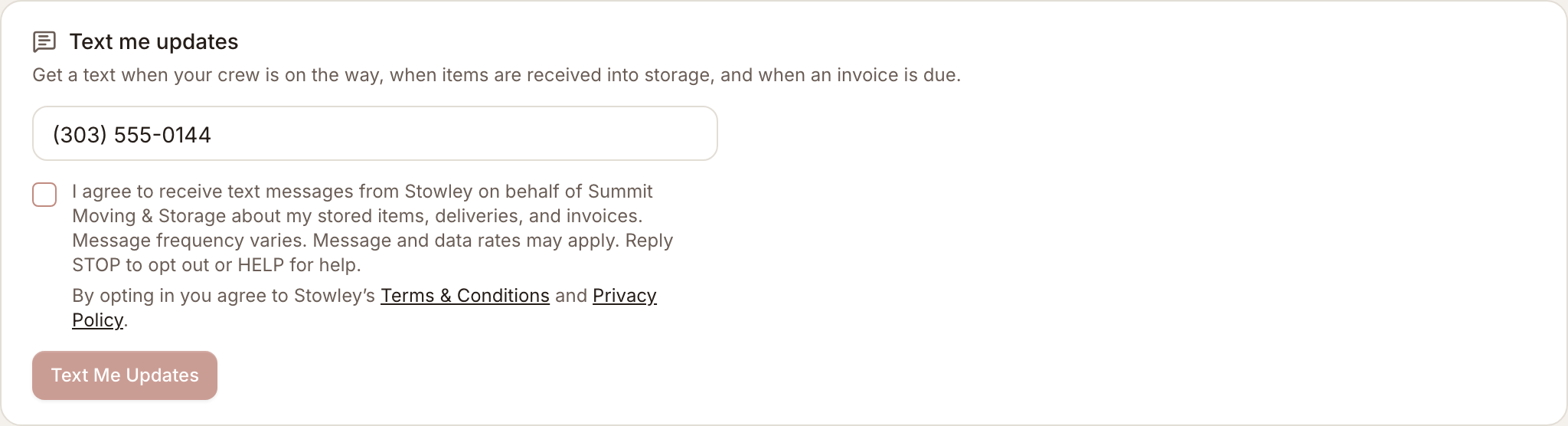
This is the live form from the client portal, exactly as it first appears. The consent checkbox starts unchecked, the button stays disabled until the client ticks it, and the links below the checkbox open Stowley’s Terms & Conditions and Privacy Policy. It is a working sample: submitting here enrolls no one. In a real portal, [Company] is the name of the company storing the client’s items.
Text me updates
Get a text when your crew is on the way, when items are received into storage, and when an invoice is due.
Screenshots as first displayed
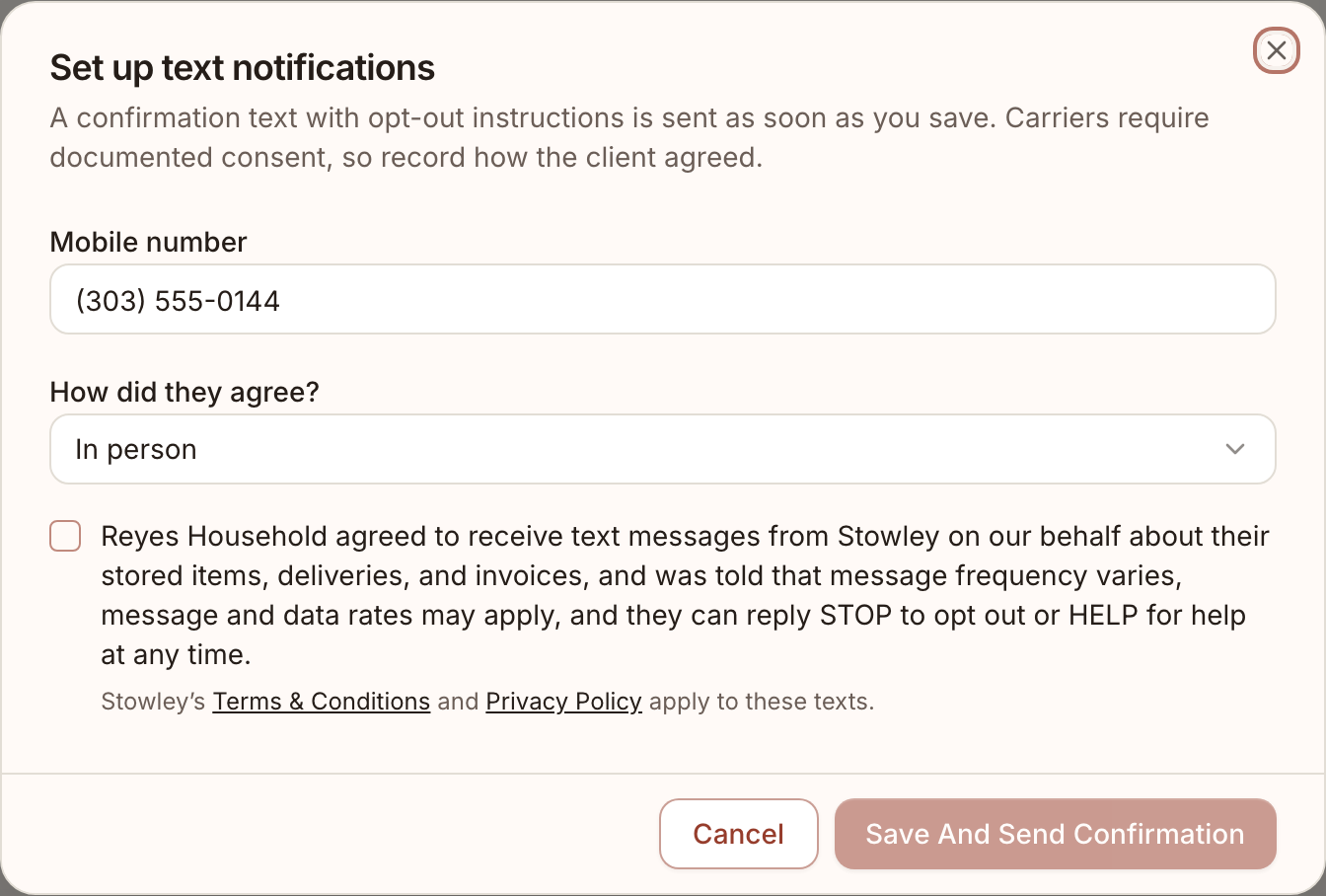
Both forms captured before any input. The client portal form is the primary opt-in path. The second form is what company staff use to record consent a client gave them in person or by phone.
Verbal opt-in
A client may also opt in by telling the company’s staff, in person or by phone. There is no paper form. Staff ask:
“Would you like to receive text updates from Stowley on behalf of [Company] about your stored items, deliveries, and invoices? Message frequency varies, message and data rates may apply, and you can reply STOP at any time to opt out or HELP for help.”
Only if the client says yes does staff record the number and how consent was given, on the operator form shown above, whose consent box is also unchecked by default. Declining changes nothing about the client’s service.
What clients receive
- A one-time confirmation text as soon as consent is recorded: “[Company] via Stowley: You’re signed up for text updates about your stored items, deliveries, and invoices. Msg frequency varies. Msg & data rates may apply. Reply STOP to opt out, HELP for help.”
- Transactional notifications only: a crew or delivery is on the way, items were received into storage, a service request changed status, an invoice is due or past due, or an automatic payment failed. No marketing or promotional messages.
- Every message starts with the company name and “via Stowley” and includes “Reply STOP to opt out.”
- Message frequency varies with account activity. Message and data rates may apply. Carriers are not liable for delayed or undelivered messages.
Stopping and getting help
- Reply STOP to any message to opt out. One final confirmation is sent and nothing more until the client replies START.
- Reply HELP to any message, or email hello@stowley.com.
- Clients can also turn texts off from the same card in their portal.
Privacy
Consent is given directly to Stowley. Mobile numbers and text-messaging opt-in data are used only to deliver the notifications a client asked for. No mobile information will be shared with third parties or affiliates for marketing or promotional purposes. Full details are in the Privacy Policy and the Terms & Conditions.